Bahuckel Hub
Self-hosted chat for a community you control. Text, voice, screen share and boards, on your own hardware.
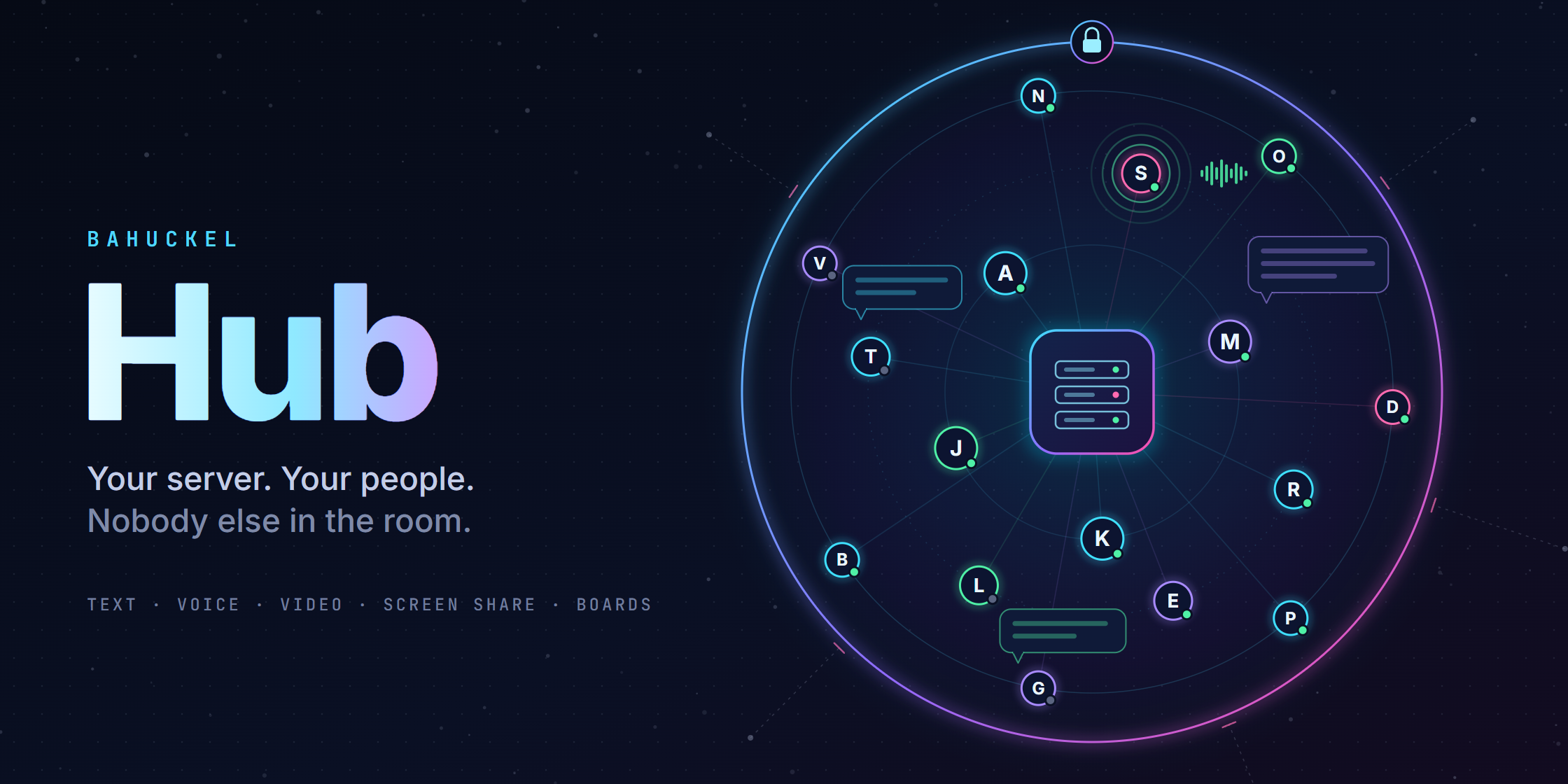
A native desktop client and a server you run yourself, both written in C# on .NET 10. The client is Avalonia, the server is ASP.NET Core with an embedded SQLite store, and voice is Opus over UDP through a relay written for the job. No browser engine is bundled and no WebRTC stack is involved, which is a deliberate constraint rather than an accident: it is the difference between an app that starts instantly on modest hardware and one that ships a browser to render a text box.
You host it. Your community connects to it. Nobody else is in the path.
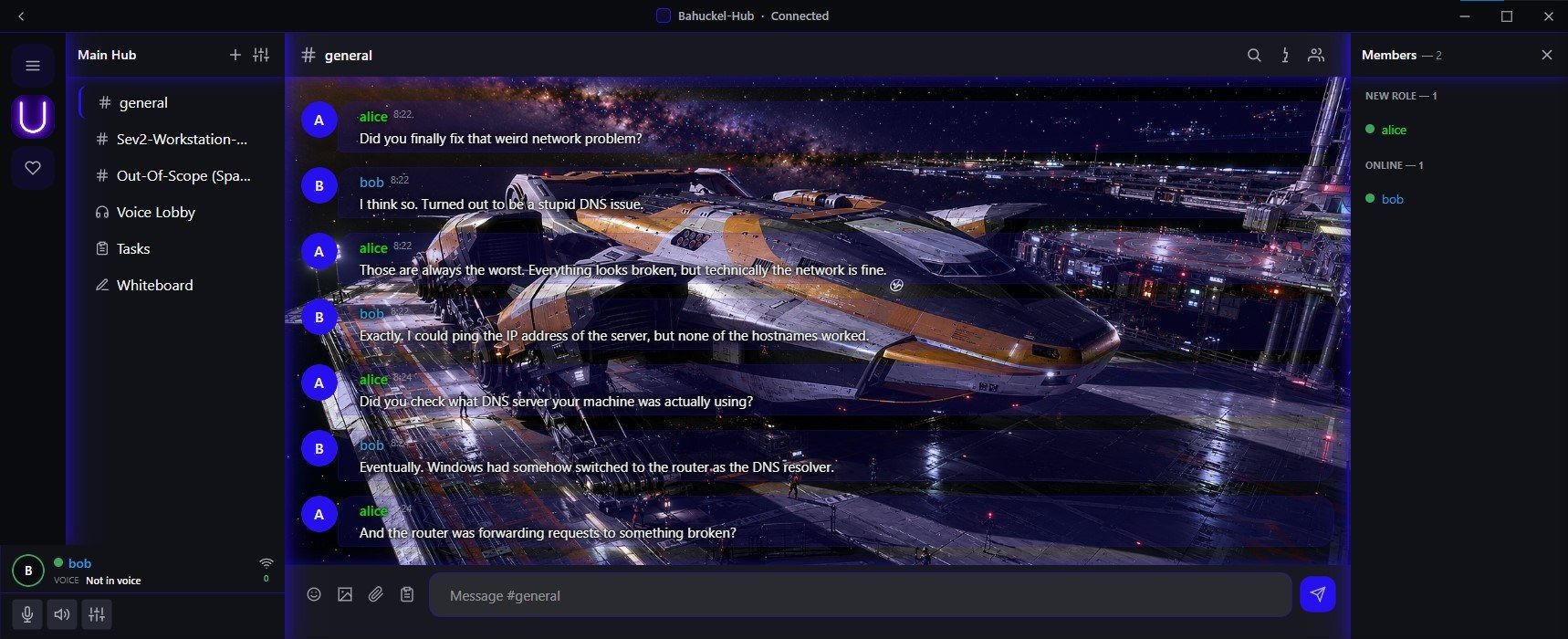
The client in its dark theme. The picture behind the chat only demonstrates custom backgrounds; it does not ship with the app.
What it does today
Conversation. Communities with channels and categories, threads, direct messages and a friends list. Messages support editing, deletion, reactions, pins, typing indicators, full-text search and paging in both directions. Uploads come with per-channel retention and size limits. There are custom emoji, a GIF picker and polls.
Moderation and control. Named roles with permission bitfields, per-channel permission overwrites, role ordering, invites you can revoke, kicks and bans, an audit log, user reports for both channel messages and DMs, and password resets that only an owner can approve. Server ownership and roles can be seeded from a file on the host, so a fresh install comes up with the right people in charge.
Voice and video. Voice channels run through a relay that fans out Opus without decoding it, with mixing on each client, mute and deafen, and moderator-side disconnect and mute. Screen share and camera use H.264 with hardware encoding where the machine offers it, and watchers can request a keyframe rather than waiting for one.
More than a chat window. Channels can also be a kanban board or a shared whiteboard, both synced live. An owner-only recording bot can join a voice channel as a real second participant and capture what another person would actually hear and see, which turns “it sounded broken on their end” into a file you can play back.
The client itself. A quick switcher, a file browser for what has been shared, avatars, presence and per-user name colours. Appearance belongs to the reader rather than the server: five built-in themes, a custom one driven by a single hue, and your own chat background per community. The light theme was measured against WCAG AA on every surface it paints rather than picked by eye.
Encryption
Transport is TLS 1.3 for both the HTTPS API and the WebSocket. The first connection to a community shows the server’s certificate fingerprint and asks you to trust it explicitly; the client pins it from then on. If a pin ever stops matching, reconnecting takes a username and password, and the new pin is only saved after that succeeds.
Uploads are encrypted at rest with AES-256-GCM in segments, so a range request decrypts only the part it serves. Voice and video datagrams are sealed the same way under a key derived per sender, and the readable routing header is authenticated as associated data, so nothing in it can be altered on a packet that still opens. Sessions are hashed at rest with a sliding expiry and are revoked when a password changes. Keys stay on the machine you run, with no external key service anywhere in the design.
Direct messages are end-to-end encrypted. Each conversation has its own key, wrapped separately for the two people in it, so the server stores messages it cannot read. That covers new messages once both people have keys; older history stays as it was. Channel messages are not end-to-end encrypted, on purpose: whoever owns a server can see every channel from the inside anyway, so encrypting against them would protect nothing. On the wire they travel inside TLS like everything else, and a release build refuses to run without TLS unless it is told to twice.
On post-quantum key exchange - beta, in testing. When both ends can do it, the session runs a hybrid handshake inside TLS - ML-KEM-768 combined with X25519, or P-256 where the platform lacks it, through HKDF - and wraps every WebSocket frame in AES-256-GCM under that key. Voice and video keep their own per-sender keys.
It is aimed at one specific risk: traffic captured today and kept in the hope that a quantum computer opens it later. ML-KEM is a NIST standard, FIPS 203, published in August 2024, and NIST’s own claim for it is hedged - “believed to be secure, even against adversaries who possess a quantum computer”. Believed, not proven, which is why this is a hybrid and not a replacement: the session is only weaker than a classical one if both halves are broken. It is defence-in-depth, not a guarantee.
It needs platform support at both ends:
| Machine | What the session uses |
|---|---|
| Linux with OpenSSL 3.5 or newer | The hybrid post-quantum handshake |
| Windows 11 24H2, Server 2025 or newer | The hybrid post-quantum handshake |
| Anything else, including Windows 10 | Standard TLS 1.3, and everything works normally |
A server whose users are all on capable machines can require it through a policy file that ships switched off and takes two agreeing settings to turn on, because the cost is real: clients without post-quantum support are refused, not downgraded.
Extending it
Channel types are pluggable. A plugin is a small .NET library packaged as a flat archive with a manifest, uploaded by an owner and enabled per community. The trust boundary is the interesting part: the server never executes plugin code. It stores the package, validates it, holds the per-channel state and hands the package to clients. The client loads it in an isolated context with a narrow interface, a per-plugin data folder, and outbound HTTPS restricted to public hosts, so a plugin cannot reach the machine’s own network or spawn anything. Executables, scripts and native libraries are rejected at upload.
That boundary is what makes integration with business systems tractable rather than reckless. The direction of travel is to let a channel become a live view of a system your organisation already runs, a ticket queue, a build pipeline, an on-call rota, a calendar, a metrics dashboard, with the rendering happening client-side and the shared state living on your server. Directory-backed accounts and roles, exporting the audit log to a system of record, and a scripted posting surface for automation are the pieces that would make it fit an existing environment.
To be straight about status: the plugin boundary and the shared channel state exist today. The integrations described above are the design direction, not shipped features, and they will arrive as plugins and server settings rather than as third-party code running on your host.
Self-hosting
One server process with an embedded database. It needs a TCP port for HTTPS and the WebSocket, and UDP ports for voice and for video, all configurable. Put the TCP side behind a reverse proxy or a tunnel for a real certificate and leave the UDP side direct, because that traffic cannot go through an HTTP proxy. A packaging script produces a folder you copy to another machine and start with one file, and there are Linux client and server builds in the same archive. For a server on the public internet there is a mode that requires registration to be whitelisted.
Setup help for a small server is available for a modest fee, though most people manage from the documentation.
Licensing
Apache License 2.0 for Bahuckel’s own code. Use it, change it, ship it, sell services around it; when you redistribute, keep the notices and mark the files you changed. The name and the mark are not part of the licence - a fork is welcome under its own name. Bundled media libraries keep their own terms, including LGPL obligations that attach when you distribute builds; the notices ship with each release.
Gallery
The client. Channels for text, voice, tasks and a whiteboard sit in one list; the member list tracks presence and voice state.
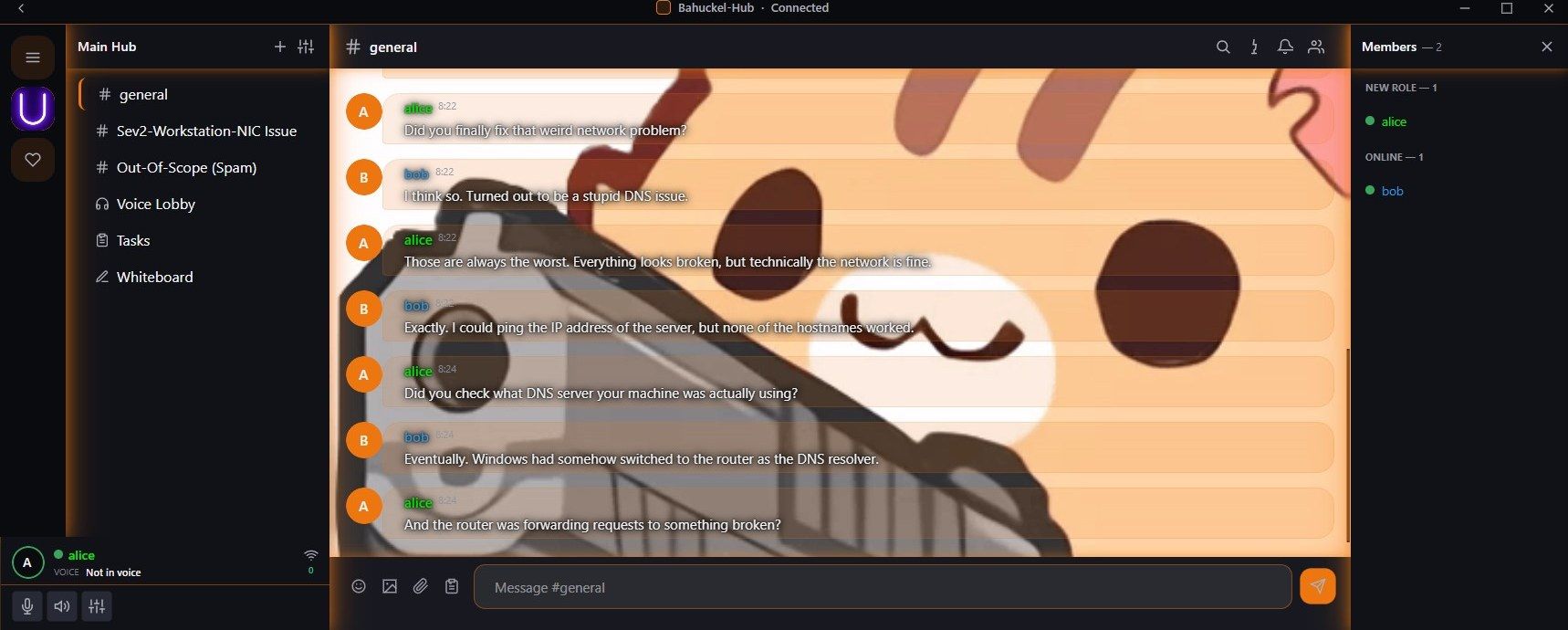
Light theme. Theming and chat backgrounds live in the client, per server, so every member picks their own.
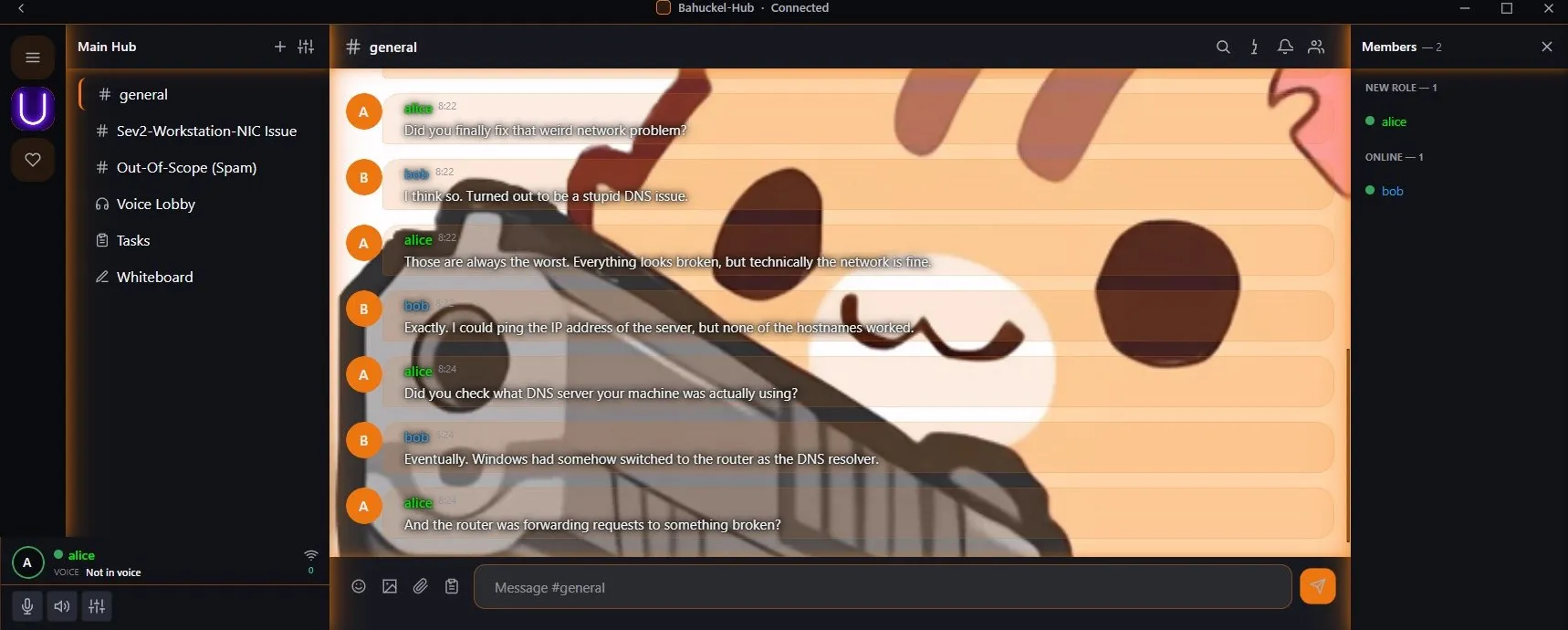
The pictures behind the chat in these screenshots are not included in the software in any shape or form. They are there only to demonstrate the custom background feature; the app ships without them.