Bahuckel Diag
Hardware health for physical machines. It names the part that is failing, ranks the causes, and never leaves the box.
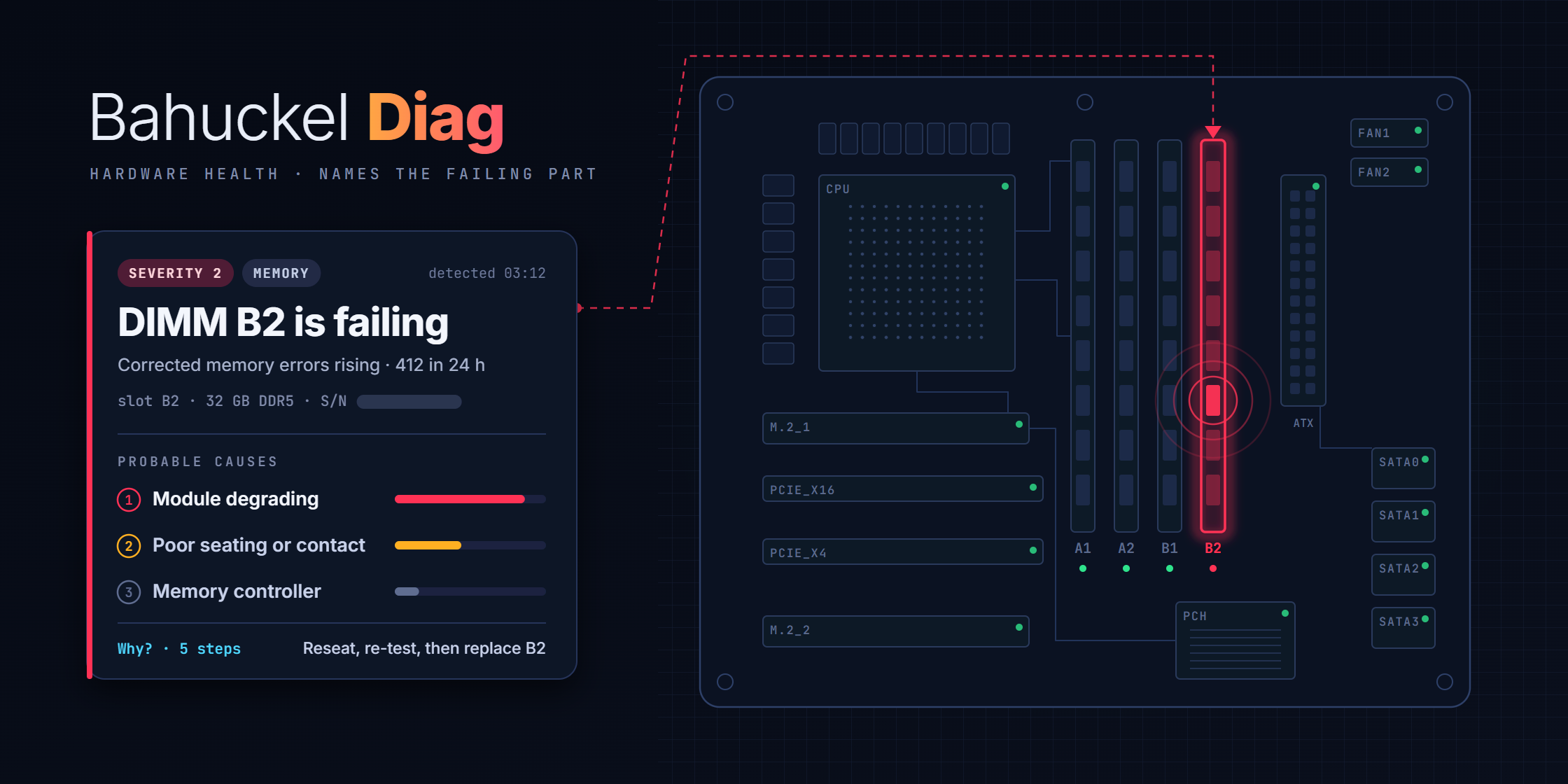
Most monitoring tells you a number crossed a line. Bahuckel Diag tells you which component is dying, how sure it is, and what to do about it.
It runs on the machine it watches, samples the low-level signals an operating system usually keeps to itself, and correlates them into incidents: a severity, a ranked list of probable causes, a recommendation, a numbered chain of reasoning you can audit, and the identity of the suspect part down to its serial and physical slot.
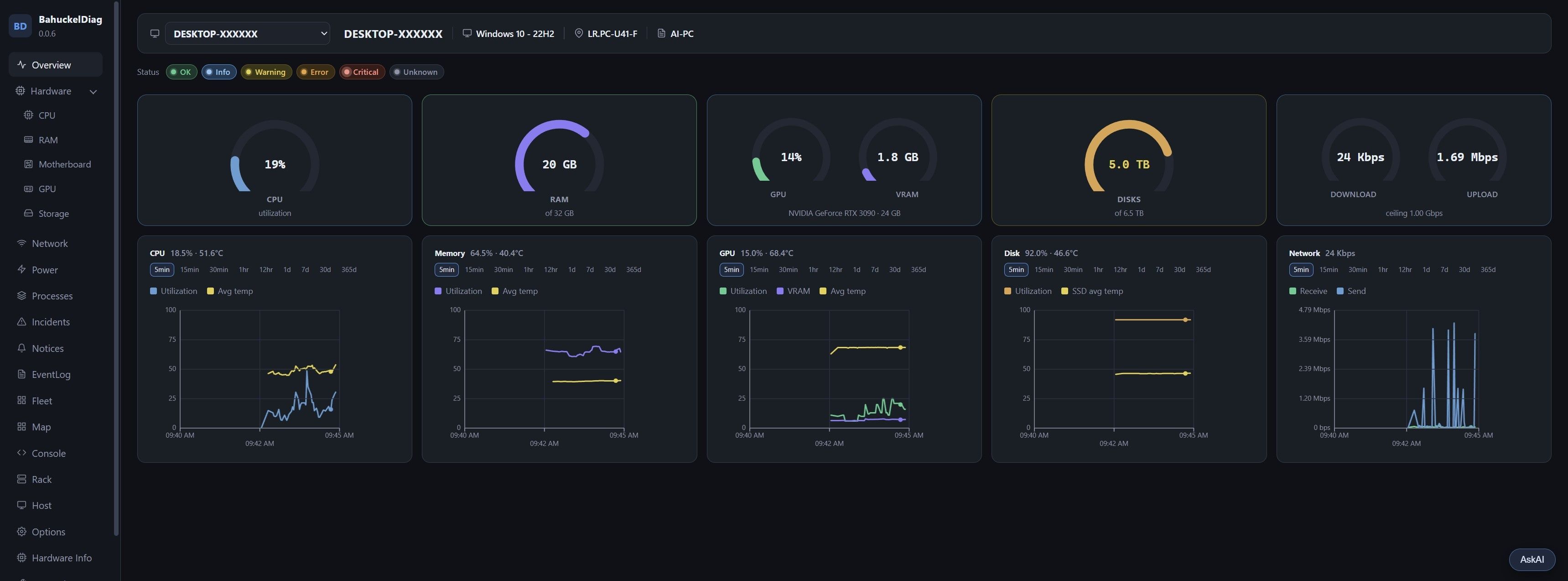
The overview on a Windows desktop. The machine name is hidden for this picture.
What it actually reads
Temperatures across CPU package and cores, motherboard, memory and drives. Disk self-test and endurance attributes with their trends, so a drive that is degrading shows up weeks before it fails. Memory error counters and machine-check events. System event logs. Fan curves and pulse-width behaviour, including the zero-RPM window a fan is supposed to sit in. Voltages, wattage, throughput, packet drops, link state. Processes with the disk, GPU and network traffic each one is responsible for, and the destination each socket talks to.
Sampling is one second at the front, then folded down: raw seconds for an hour, minute rollups for eight, coarser buckets for up to a year, device health snapshots for a month. History is the point. You can look at the spike that happened at 3am.
The diagnosis engine
Correlation is deterministic, not a model guessing. Rules read the last 24 hours across every collector and promote patterns into an incident with a severity from 1 (system down) to 4 (informational, but worth knowing). Each incident carries:
- Ranked causes, most likely first, with the evidence that put them there.
- Why? — the numbered steps from raw signal to conclusion. No black box.
- The suspect part, named and located: which DIMM slot, which drive bay, which serial. When the firmware hides a serial, it gets a stable synthetic one so the part stays trackable across reboots.
- A lifecycle: acknowledge, verify, solve, close, re-open. It knows the difference between a condition that cleared and one that is still faulting, and it will not celebrate a recovery that did not happen.
- Export to Markdown or HTML, so a technician can hand the report to someone else.
Behind that sits an offline knowledge base of more than 200 entries: every event type it can raise has a written explanation and a solution stored locally. No lookup goes to the internet.
Beyond one machine
A single install can act as a hub. Other machines run in agent mode and ship minute rollups, events, heartbeats and inventory to it. The hub notices when one goes quiet, and knows that a sleep or a power event explains a gap rather than raising a fresh alarm.
On top of the fleet sit two spatial views: a floor grid where you place machines by room and see their health as colour, and an editable rack and chassis view drawn from the parts actually detected in each box, cables included.
There is also a built-in terminal restricted to a command folder you define, an inventory page covering processors, memory modules, graphics cards, network interfaces, drives and firmware, and an assistant that answers questions grounded in the live snapshot. The assistant can propose operating system commands but cannot run one without an explicit allow that expires in ten minutes.
Local by construction
It binds to loopback by default, so nothing outside the machine can reach it until you decide otherwise. Opening it to a network requires setting a dashboard password; the UI complains loudly until you do. State-changing calls require a header the browser cannot forge cross-origin, and the host header is checked to defeat DNS rebinding. Agents authenticate with a bearer token compared in constant time. Secrets live in a local file the API never returns.
Nothing phones home. Licences are signed files verified offline, which is the only design honest with that promise.
Where it is
Version 0.0.6, in beta on Windows and Linux. It runs as a normal user and reads more sensors when elevated. Not in this version: out-of-band management controllers, hardware RAID controllers, single sign-on, and anything that changes your machine automatically.
The free tier is the whole diagnosis engine: every collector, every incident, the knowledge base, the console, the floor map and the rack view, across as many machines as you have. Nothing about diagnosing a box is held back, and there is no seat cap. What the paid tier adds is the ways a diagnosis leaves the box.
Basic is free and unlimited, with no support. Enterprise is priced on request and adds the AI assistant — on a model of your own or a hosted one — along with email, webhooks, Prometheus, BMC and more than one operator account, plus the first word when a patch exists; support and changes for your own use case are quoted separately.
Source is proprietary today, and binaries will be signed. An open-source Basic edition is planned under the Apache License 2.0, with no date on it yet. Licences are signed files checked offline, so buying one does not make the software phone home — and updates work the same way. Patches are manual: you are told one exists, and whether it goes on, and when, is yours to decide. Nothing is pushed to a machine you run, because plenty of them have no route out.
If you run a workshop, a small fleet or a homelab and want the beta, use the contact page and say what hardware you are on.
Gallery
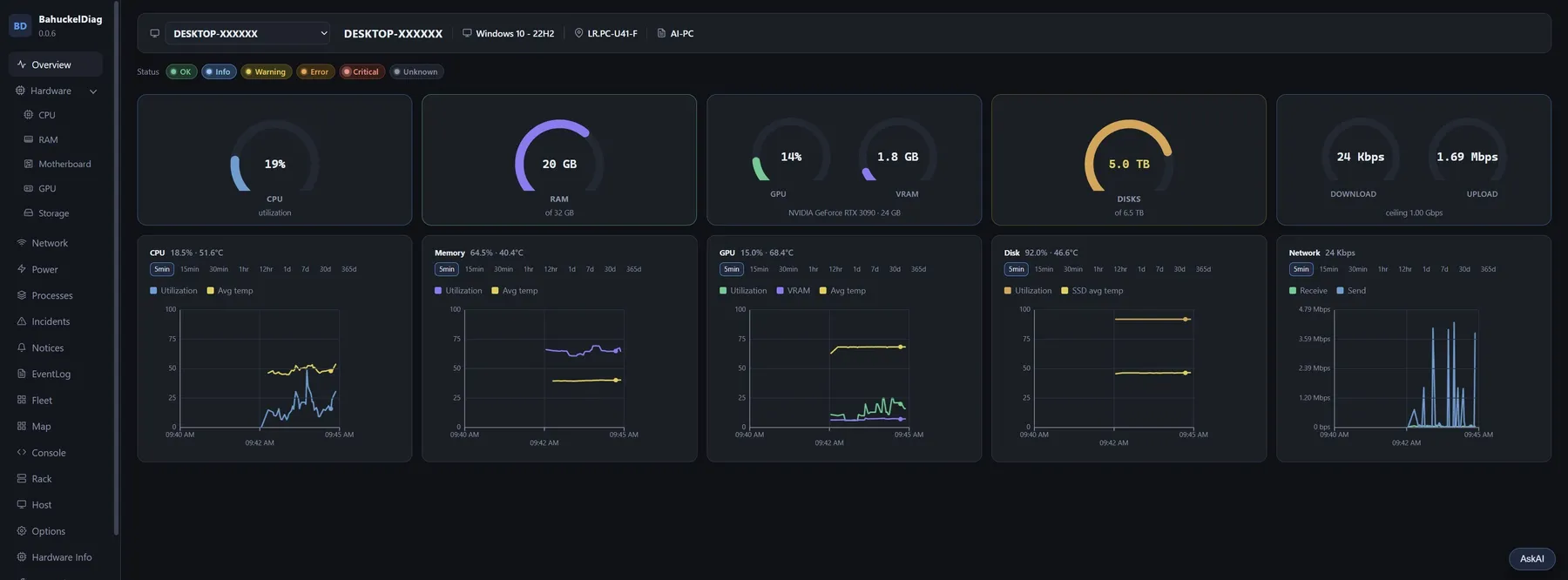
The overview. CPU, memory, GPU, disks and network at a glance, each with a history you can widen from five minutes to a year.
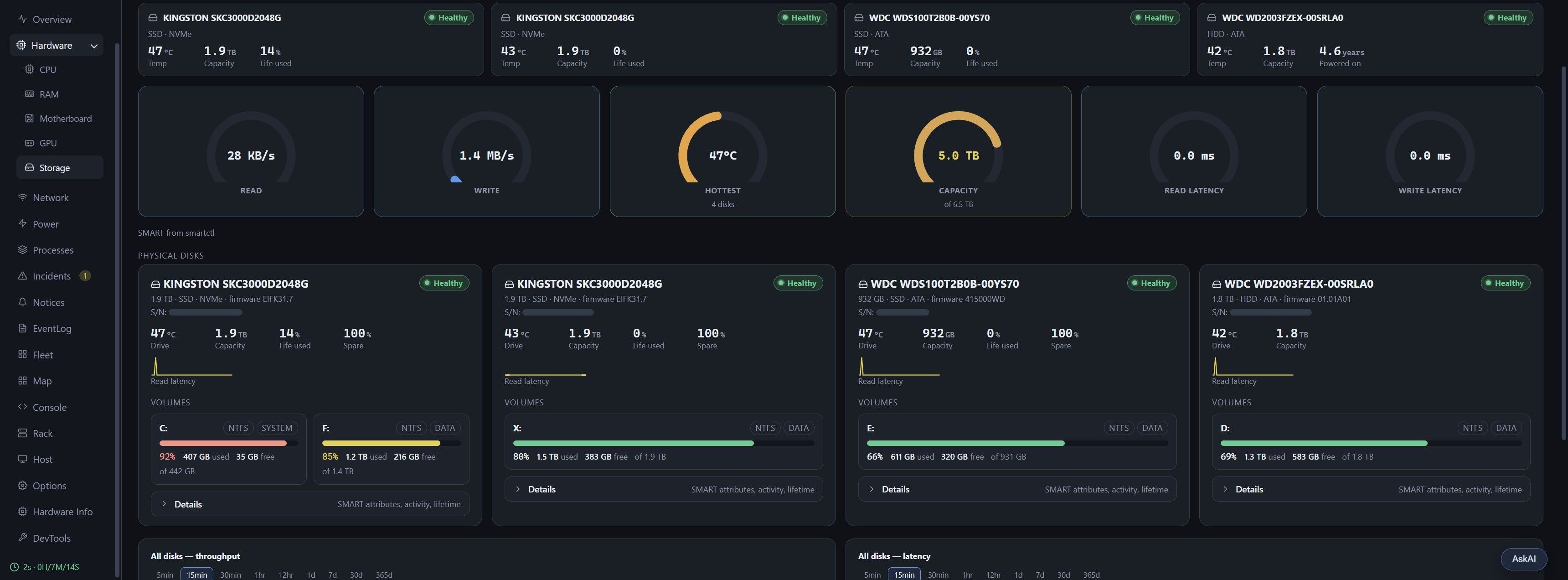
Storage. Every physical disk with its health, temperature, wear and spare capacity from SMART, the volumes on it, and throughput and latency for all of them together.
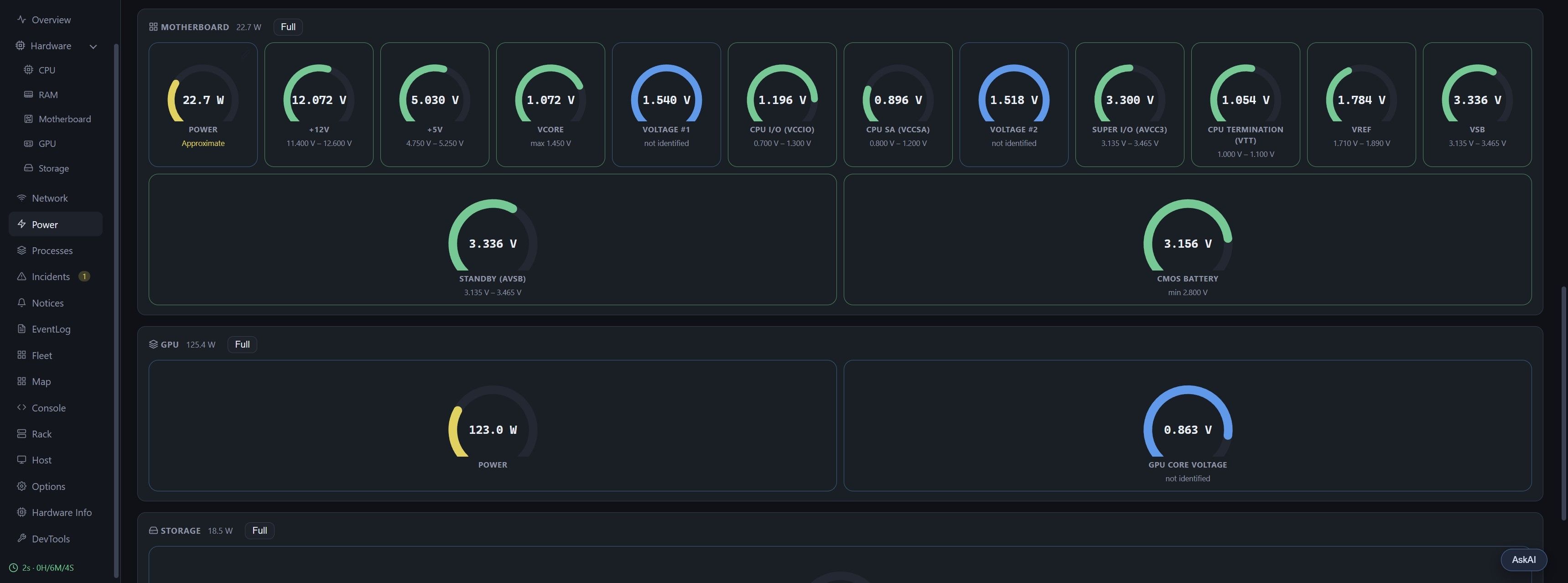
Power. Every voltage rail the motherboard reports, each against its allowed range. A rail the sensor chip does not name says "not identified" rather than being guessed.
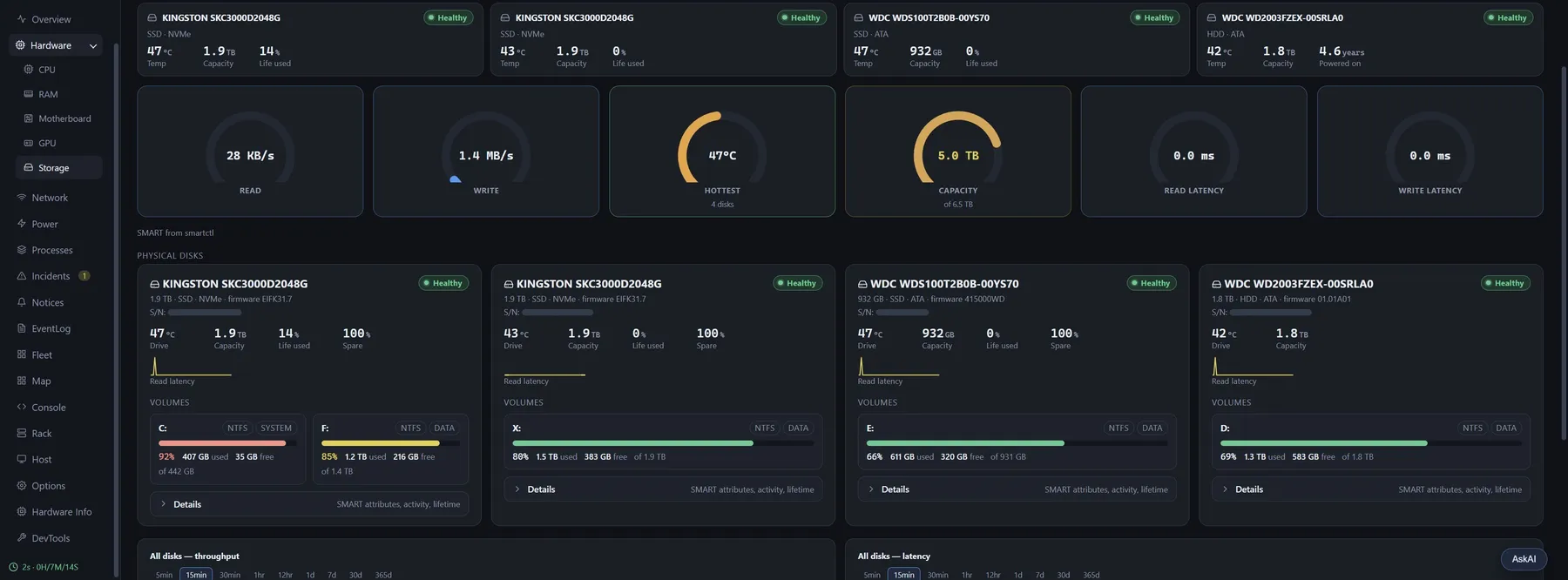
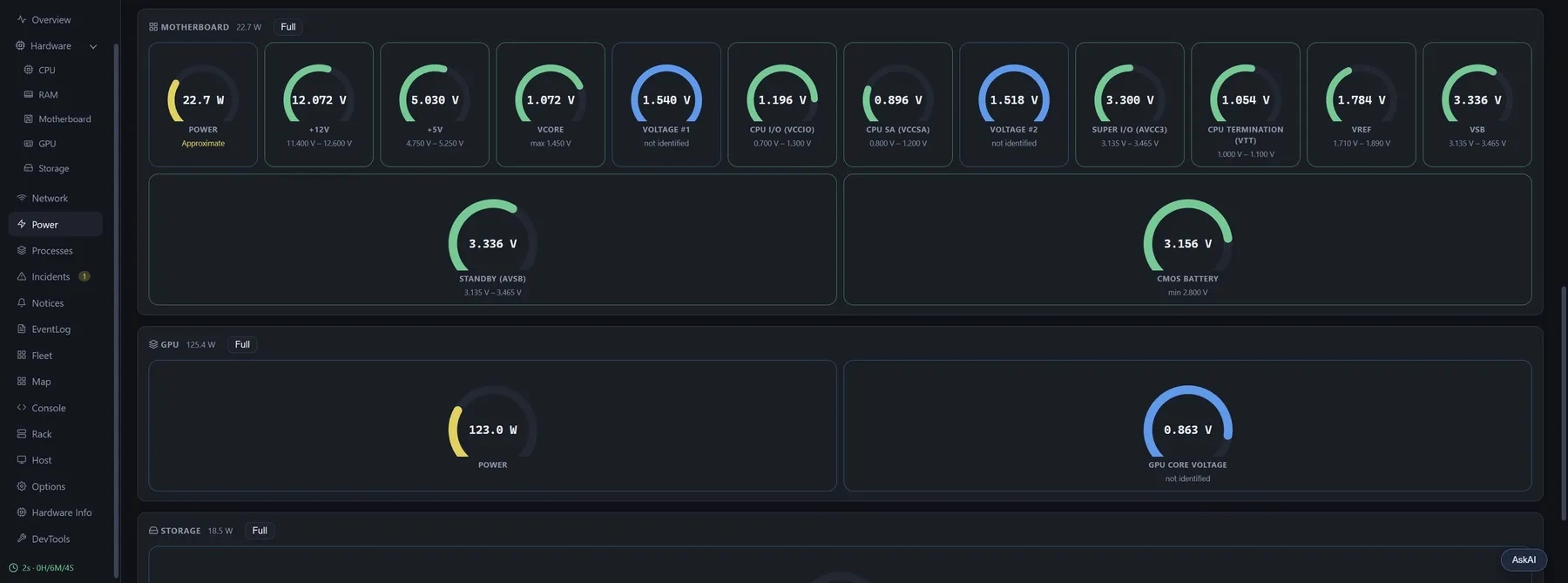
Screenshots from the beta on a Windows desktop. The machine name is hidden and the drive serial numbers are blanked out for these pictures; the app shows both in full.